
One conversation. Every teammate.
Alex doesn't do the work itself — it hands your request to whichever agent actually owns it (Mark, Lex, Rae, Jenny or Nova) and reports back what they did. Ask from the dashboard the same way you'd message a real employee.
Alex is the front door. The team does the work.
One request in, the right specialist out — Alex reports back either way.






Engineered for high performance
Everything you need to automate, scale, and convert customers effortlessly.
Talk to it like an employee
Open the dashboard and just ask — Alex remembers your business context the same way a real chief of staff would. No separate login, no separate app.
Routes to the right teammate
Ask for an Instagram caption and Alex hands it to Lex. Ask about stock and it's Rae. It never attempts work that belongs to a colleague — it just points you there and gets it moving.
Reports back, every time
Once a teammate finishes, Alex summarizes what they did in plain language and says who did it. You're never left digging through five different chats to find out what happened.
Everywhere you already work
Dashboard is live today. WhatsApp, Telegram, Slack and Microsoft Teams are next — the same Alex, wherever your team already talks.

Your one point of contact for the whole AI team.
Instead of learning which of five agents handles which job, you just talk to Alex. It knows what each teammate covers, asks them on your behalf, and stays in the loop until they're done.
- One conversation instead of five separate tabs
- Delegated work lands in that teammate's own history too
- Nothing gets attempted twice, and nothing falls through the cracks
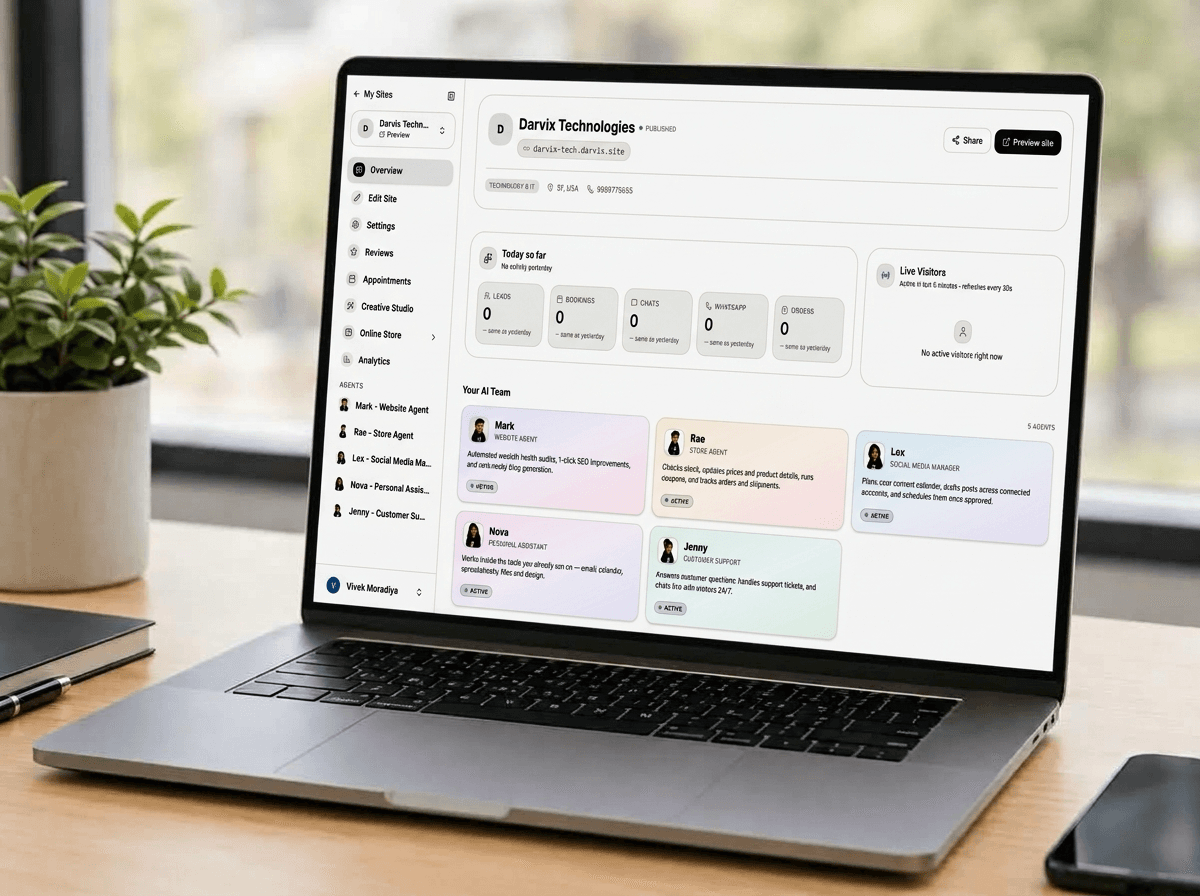
One conversation, wherever you already work.
Alex starts in your dashboard, with the same chief of staff — same memory, same team behind it — heading to wherever you already talk to your team next.
- Dashboard chat — live now
- WhatsApp — coming next
- Telegram, Slack & Microsoft Teams — coming after that
One chief of staff, not five separate chatbots
A typical multi-agent setup makes you pick the right bot yourself. Alex picks for you.
Frequently Asked Questions
Everything you need to know about the platform and setup process.
Does Alex replace Mark, Lex, Rae, Jenny or Nova?
No — Alex has no tools of its own beyond handing work off. It's the front door, not a replacement. The actual work still happens through the specialist agent, in their own conversation history, exactly as if you'd asked them directly.
Can I text Alex on WhatsApp?
Not yet — WhatsApp is next, along with Telegram, Slack, and Microsoft Teams. For now, Alex lives in the dashboard.
What about Telegram, Slack, and Microsoft Teams?
They're on the roadmap alongside WhatsApp. Alex already runs on one underlying agent, so adding more channels is about wiring up each platform, not rebuilding Alex from scratch.
Does using Alex cost extra?
Talking to Alex costs the same as talking to any one agent directly. When Alex hands work to a teammate, that teammate's own tools are billed exactly as if you'd asked them yourself — nothing is charged twice.
What if I own more than one business?
The first time you message Alex, it'll ask which business you mean and remember your answer after that. You can switch anytime by just asking.

Stop guessing which agent to open.
Talk to Alex from the dashboard and let it bring in the right teammate.