
Plan, write and schedule every post yourself, from one calendar
Connect your accounts once and run your whole social calendar by hand — draft your own captions, upload your own photos and video, tailor each post per platform, and schedule everything from a single drag-and-drop calendar. No AI writing anything for you.
Engineered for high performance
Everything you need to automate, scale, and convert customers effortlessly.
One Calendar For Every Platform
See everything you've got scheduled across all your connected accounts on a single calendar. Drag a post to a new day, open it to make a change, or add a new one straight into an open slot.
Write Once, Tailor Per Platform
Duplicate a post across platforms and adjust the caption and length for each before it goes out — with each platform's character limit and media rules checked live as you type.
Bring Your Own Media
Upload your own photos and video, or pull from a shared media library, and attach the right file to each post. No stock hunting required, but nothing generated for you either.
Full Manual Control
You write it, you schedule it, you approve it — nothing posts unless you put it on the calendar. Edit, reschedule or delete any post any time before it goes live.
Seven Platforms, One Place
Post to Facebook, Instagram, LinkedIn, X, YouTube, Reddit and Pinterest from the same calendar.
Automatic First Comment
Add a first comment — hashtags or a link — that posts right after the main post goes live.
Per-Platform Options
Set a YouTube title, pick a subreddit and flair, or choose a Pinterest board per post, where each platform needs it.
Failure & Reconnect Alerts
Get an email if a post fails or an account needs reconnecting, before your schedule goes quiet.
Engagement Analytics
See the views, likes, comments and shares your posts gained — by account, platform and format — with your top posts for the period.
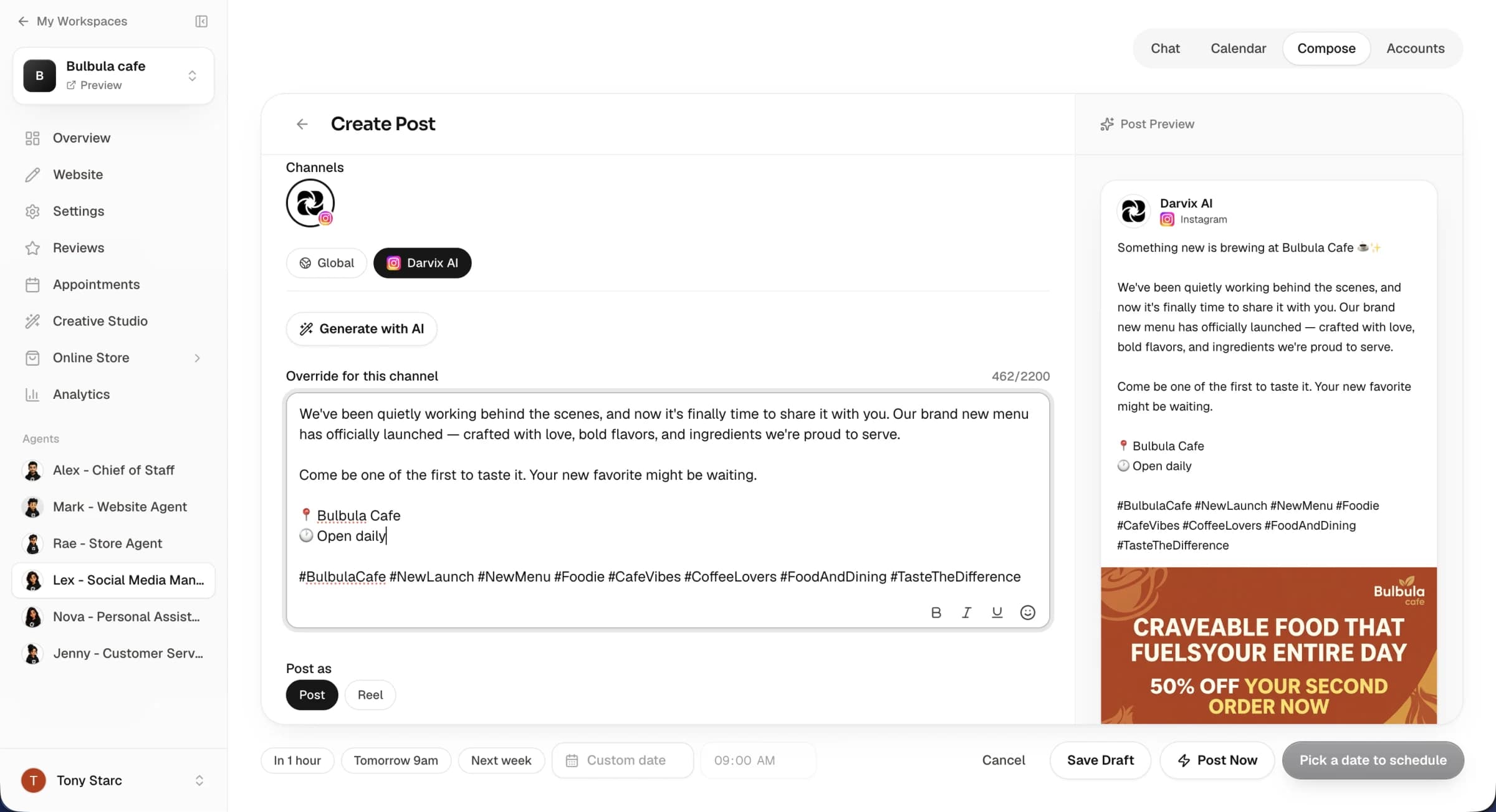
Every platform, every post, one screen.
Connect your accounts from the Accounts tab and every post you schedule lands on one calendar, laid out by day and platform with the media attached — so you can see the whole month at a glance instead of switching between apps.
- Connect Instagram, Facebook, LinkedIn, X, YouTube, Reddit & Pinterest
- Drag a post to a different day or time
- Edit a caption or swap the media any time before it posts
One tool instead of five open tabs
Stop logging into every app separately just to get a week of posts out.
Frequently Asked Questions
Everything you need to know about the platform and setup process.
Do I have to write the captions myself?
On this plan, yes — you write and schedule every post by hand. If you'd rather have an AI employee draft, design and schedule posts for you, that's what Lex, our Social Agent, does.
Which platforms can I schedule to?
Instagram, Facebook, LinkedIn, X, YouTube, Reddit and Pinterest. You connect each account once from the Accounts tab — no developer account or third-party app needed on your side.
Can I schedule the same post to multiple platforms at once?
Yes. Duplicate a post across the platforms you want and adjust the caption or length for each before it goes out — character limits and media rules are checked live as you edit.
Can I see how my posts performed?
Yes. The Analytics tab shows the views, likes, comments and shares your posts gained over the last 7 days, 30 days or quarter — by account, platform and content type — with your top posts. Platform numbers refresh once a day; some platforms don't report views.
Is there a fee per post?
No. Scheduling is included in your plan with no per-post or commission fee.
Can I edit or cancel a scheduled post?
Yes, any time before it goes live — edit the caption, swap the media, move it to a new time, or delete it entirely.

Stop juggling five different apps
Connect your accounts and start scheduling your own posts today.