
It plans the posts, makes the images and fills your calendar
Ask Lex for a week of posts and it writes them for each platform, generates the image or video to go with them, and drops the whole lot on your content calendar. Nothing goes out until you approve it.
Engineered for high performance
Everything you need to automate, scale, and convert customers effortlessly.
Captions Written To Your Taste
"Draft a week of posts for the shop" and Lex writes every caption, checking what's already scheduled so it doesn't double-book a slot. Tell it how you like to sound and it keeps to that — it remembers your standing instructions instead of asking again each time.
It Makes The Image And The Video
No stock photo hunting and no separate design tool. Lex generates the image or the short video that goes with a post, and always tells you exactly what it will cost in credits before it spends anything.
Written For Each Platform
The same idea, shaped for where it's going — a punchy line for X, a longer caption for LinkedIn, a vertical video for Reels. It checks each platform's character limits and media rules before scheduling.
You Approve Before Anything Posts
Drafts wait on your calendar until you approve them, so nothing reaches your audience unseen. Every change Lex makes is undoable, and automatic posting stays off until you switch it on.
Engagement On One Screen
Views, likes, comments and shares for every connected account, broken down by platform and format, with your top posts for the period.
It Learns What Works
Ask "what did best last month?" and Lex compares each post with your usual numbers and explains why — the format, caption length, hashtags, day and time — then plans new posts around it.

The one who actually remembers to post.
Lex reads your connected accounts, your business details and what's already on the calendar before it writes a word — so the posts sound like your business and land in empty slots rather than on top of each other.
- Reads your connected accounts & their rules
- Keeps to the tone and rules you set once
- Every draft, edit and schedule is reversible
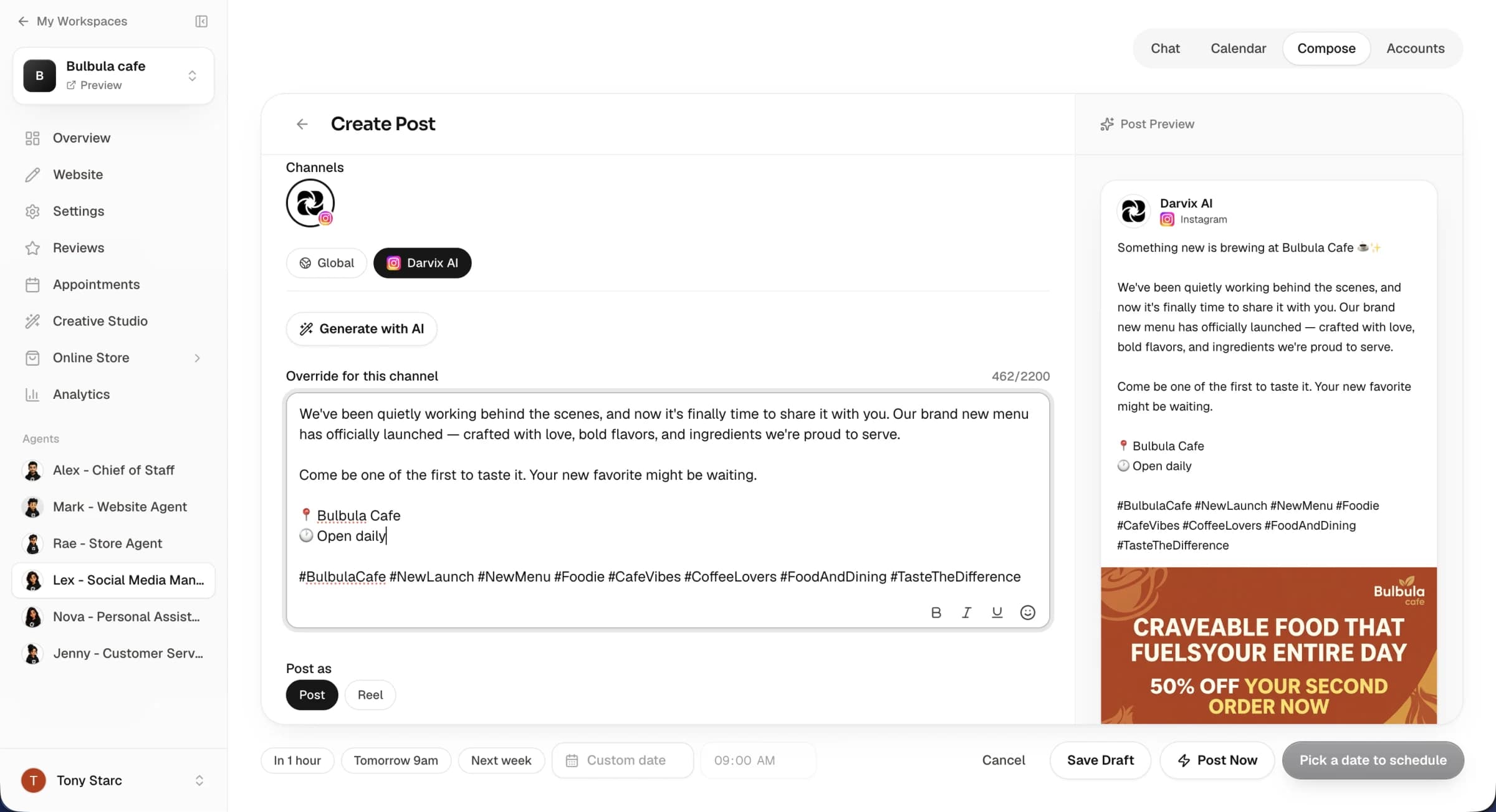
See the whole month, approve in one click.
Drafts land on a calendar you can actually read — by day, by platform, with the image attached. Approve the ones you like, edit a caption, drag a post to a better time, or ask Lex to rewrite it. Then it publishes on schedule without you being there.
- "Draft a week of posts for our business"
- "Move Friday's post to Saturday morning"
- "Add an image to that one"
An AI employee, not another scheduler
Schedulers give you an empty calendar. The work was never the scheduling.
Frequently Asked Questions
Everything you need to know about the platform and setup process.
Will it post to my accounts without asking me?
No. Posts Lex drafts in chat land on your calendar as drafts and stay there until you approve them. There is a separate automatic mode you can turn on if you want Lex working on a daily, weekly or fortnightly schedule — it's off by default, and even then you can leave it set to draft so everything still waits for your approval.
Which platforms can it post to?
Instagram, Facebook, LinkedIn, X, YouTube, Reddit and Pinterest. You connect each account once from the Accounts tab — there's no developer account to register or app to set up on your side.
Does it create the images and videos itself?
Yes. Lex generates an image or a short video for a post rather than making you find one. It always quotes the exact credit cost first and waits for you to confirm, and the post stays a draft while the media renders — usually under a minute for an image.
Can I make it write the way I want?
Yes. You can give Lex standing instructions — your tone, words to avoid, how much you use hashtags, what to never post about — and it follows them on every draft from then on. It also keeps its own notes on what you've told it before, and you can read and edit those notes yourself.
Can I edit what it writes?
Of course. Every draft is editable on the calendar — rewrite the caption, change the image, adjust the per-platform version, or move it to a different time. You can also just tell Lex what to change and it'll revise the draft for you.
Can I undo something it did?
Yes. Drafting, revising, rescheduling, scheduling and discarding are all reversible from your dashboard, so a change you didn't want is one click away from being put back.
Does it track how posts perform?
Yes. The Analytics tab shows views, likes, comments and shares by account, platform and format, with your top posts. Lex can read the same numbers in chat — ask what worked and it compares each post with your usual results and explains the difference.
Is the Social Agent included in my plan?
The Social Agent is available on every paid plan. You can start free and upgrade when you want it running your social calendar.

Stop staring at an empty posting schedule
Hire your Social Agent and let someone else worry about what goes out on Tuesday.