
Every WhatsApp chat answered, even after hours
Connect your WhatsApp Business number in one popup and every message lands in your Darvix inbox. Jenny, your AI rep, answers from your prices and policies, books appointments, and hands the chat to you when it needs a person.
What the Darvix WhatsApp Business inbox includes
Everything you need to automate, scale, and convert customers effortlessly.
Official WhatsApp Business API
Connect through Meta's own signup popup. No tokens to copy and no webhooks to set up.
Jenny Answers For You
Turn Jenny on and she replies from the prices, policies and FAQs you've added, and sends product cards when someone asks what you sell.
Bookings Inside The Chat
Jenny can book, reschedule, confirm or cancel an appointment without the customer leaving WhatsApp.
Hands Off To You
If a customer asks for a person, gets upset or asks something she doesn't know, Jenny pauses and the chat moves to your "Needs you" list.
Keyword Automations & Flows
Reply to keywords, welcome first-time messages, tag contacts or open a deal, and build step-by-step flows with buttons and lists.
Every Chat On A Customer Record
Each sender becomes a CRM contact, with their orders, bookings and total spend next to the chat, plus tags and notes.
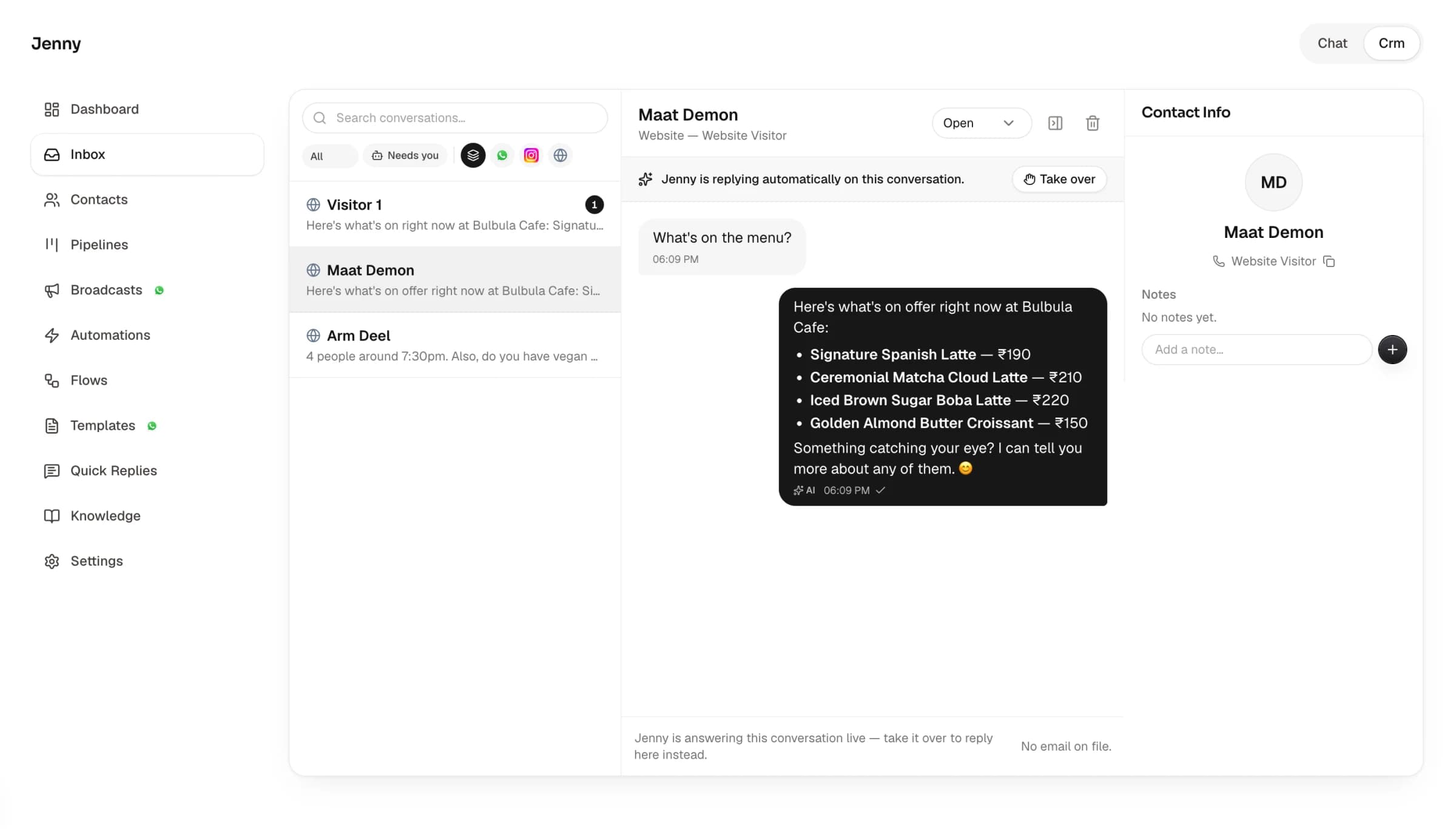
WhatsApp next to every other conversation.
WhatsApp chats sit in the same inbox as Instagram DMs and website enquiries, updating live, so nobody has to check one phone to see what came in overnight.
- Photos, video, voice notes and documents both ways
- Saved replies, including buttons and lists
- Filter by open, pending, closed, unread or "Needs you"
WhatsApp Business app vs Darvix inbox
Frequently Asked Questions
Everything you need to know about the platform and setup process.
What is a WhatsApp Business inbox?
It's one place to read and answer the messages sent to your WhatsApp Business number, next to your other channels. In Darvix it also comes with an AI rep, Jenny, who can reply for you.
Can the AI reply to WhatsApp messages on its own?
Yes, once you switch Jenny on for WhatsApp. She answers from what you've taught her, books appointments, and hands the chat to you when she can't help. Each AI reply uses a small number of AI credits from your plan.
Can I keep using the WhatsApp Business app on the same number?
No. Connecting moves the number to WhatsApp's official Business API, so you answer it from Darvix instead of the app.
Can I message a customer after 24 hours?
WhatsApp only allows free-form replies within 24 hours of the customer's last message. After that, send a Meta-approved template, which you can create in Darvix. The inbox warns you when a chat is past the window.
Does Darvix charge per WhatsApp message?
No. Meta bills its own WhatsApp fees to your WhatsApp Business account; Darvix doesn't add a per-message charge.

Stop answering WhatsApp at midnight
Connect your number and let Jenny take the first reply.