
Your whole month of posts on one calendar
See every post for Instagram, Facebook, LinkedIn, YouTube, Reddit and Pinterest on one calendar. Drag a post to another day, approve a week of AI drafts in one click, and let it publish on time.
What the Darvix content calendar includes
Everything you need to automate, scale, and convert customers effortlessly.
Every Account, One Calendar
Drafts, scheduled and published posts for all your accounts on one month view, or as a list. Filter to drafts, scheduled, published or failed.
Drag To Reschedule
Drag a draft or scheduled post to another day and it keeps its time. Open it to change the caption, media or time before it goes out.
A Caption Per Platform
Write once, then adjust the caption for each account on its own tab. Character limits and media rules are checked before anything is scheduled.
Platform Options Built In
Set a YouTube title and privacy, pick a subreddit, or choose a Pinterest board and link on the post itself. Defaults per account fill them in for you.
Lex Drafts, You Approve
Ask Lex for up to 14 posts and they land on the calendar as drafts. Approve them one at a time or all at once.
A Fresh Plan Every Week
Turn on auto-drafting and Lex fills the calendar daily, weekly or every two weeks, at the posting times you choose.
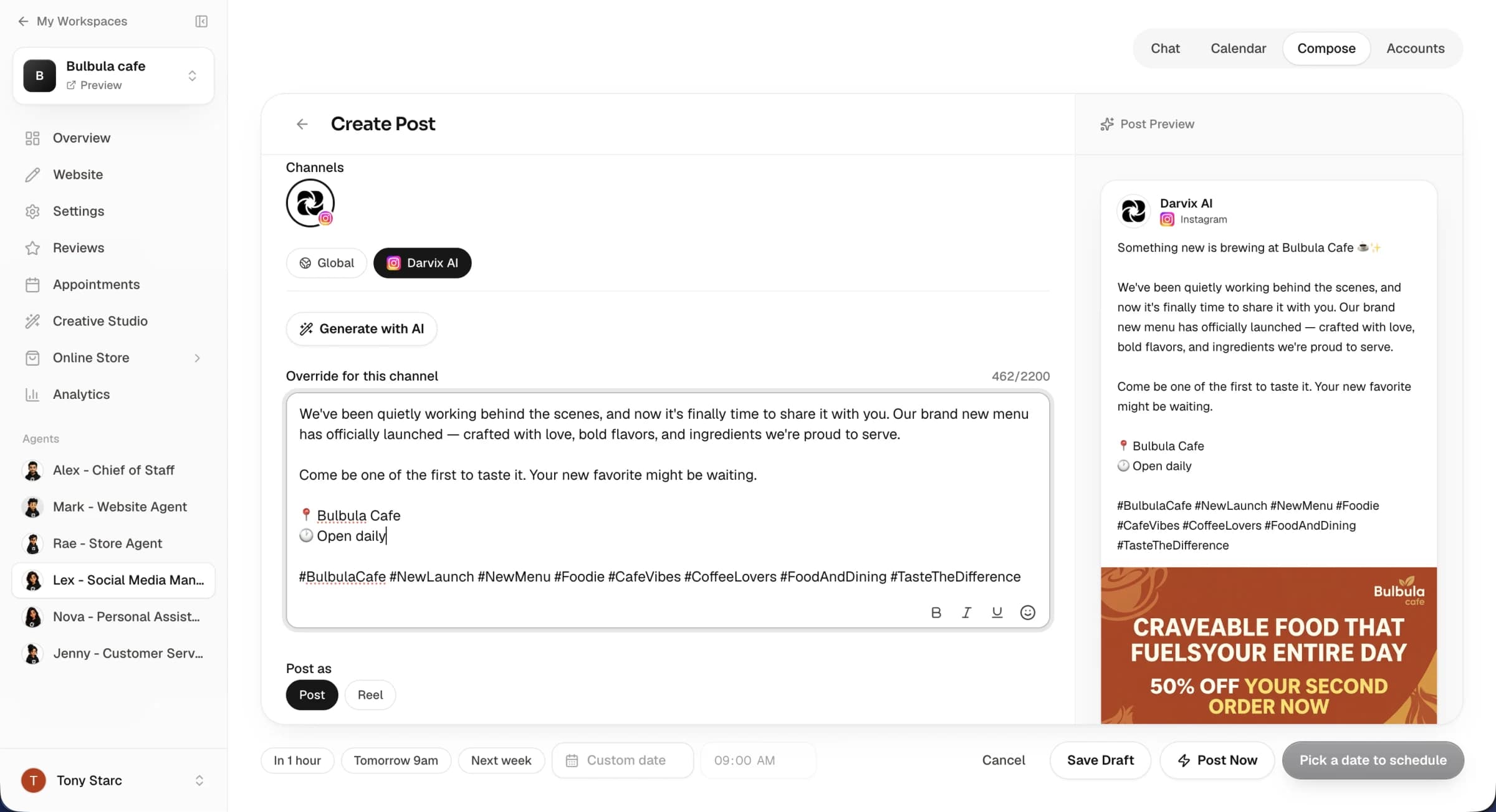
See the month, not just the next post.
A content calendar only works if it shows everything. Drafts, scheduled posts and what's already gone out sit on the same view, so you can spread offers, tips and news across the month.
- Instagram, Facebook, LinkedIn, YouTube, Reddit and Pinterest on one calendar
- First comment with hashtags or a link on Instagram, Facebook, LinkedIn and Reddit
- Failed posts retry automatically, then email you
Spreadsheet calendar vs Darvix
Most small businesses plan posts in a spreadsheet and then post by hand.
Frequently Asked Questions
Everything you need to know about the platform and setup process.
What is a social media content calendar?
It's a calendar of every post you've planned across your social accounts. In Darvix it's also where posts are scheduled from, so what's on the calendar is what goes out.
Which platforms show on the calendar?
Instagram, Facebook, LinkedIn, YouTube, Reddit and Pinterest. X is coming soon. Connect each account once and its posts appear on the same calendar.
Can AI fill the calendar for me?
Yes. Ask Lex, the social AI employee, for a batch of posts, or turn on auto-drafting for a new batch every day, week or two weeks. Drafts wait on the calendar until you approve them, unless you switch auto-drafting to publish on its own.
Can I post Instagram Stories?
Not yet. Instagram feed posts, videos and carousels of up to 10 photos or videos are supported.
What happens if a post fails?
Darvix retries it automatically. If it still fails you get an email, and you can retry it from the calendar. If an account needs reconnecting you get an email for that too.

Put next month on the calendar today
Connect your accounts and plan every post from one view.