
Instagram DMs that answer themselves
Automate your Instagram DMs without code: welcome new followers who message, reply to keywords, send product cards, tag leads, and let Jenny, your AI rep, answer questions and book appointments right in the DM.
What you can automate in Instagram DMs
Everything you need to automate, scale, and convert customers effortlessly.
Keyword Auto-Replies
Reply instantly when a DM mentions words like "price", "link" or "available", whatever the capitals.
Welcome Messages
Greet everyone who DMs you for the first time with your booking link, prices or the question you need answered.
Product Cards In The DM
Send product cards from your store when someone asks what you sell, so they can tap straight through to buy.
AI Replies That Book
Add an AI reply step and Jenny answers from your prices and policies, and books, reschedules or cancels appointments in the DM.
Out-Of-Hours & Waits
Send an away message only during the hours you choose, or wait before the next step of a flow.
Tags, Fields & Deals
Tag a lead, save a detail to a custom field or open a deal, so every DM enquiry ends up in your CRM.
How Instagram automation works in Darvix
- 1
Connect Instagram
Log in with your Instagram professional account. You don't need a Facebook Page, and DMs start arriving in your Darvix inbox.
- 2
Pick a trigger
A first DM from someone new, any new message, a keyword, a new contact or a tag being added.
- 3
Add the steps
Send a message or product cards, hand the question to Jenny, send an email, tag the contact, update a field, open a deal, wait, or branch on time of day, a tag or a custom field.
- 4
Switch it on
Every run is logged, so you can check what was sent and to whom. Reply from the Instagram app any time and Jenny steps back from that chat.
The same automations run on WhatsApp, where you can also send reply buttons, list menus and templates; see WhatsApp automation. Comment-to-DM automation isn't available yet, so automations start from direct messages.
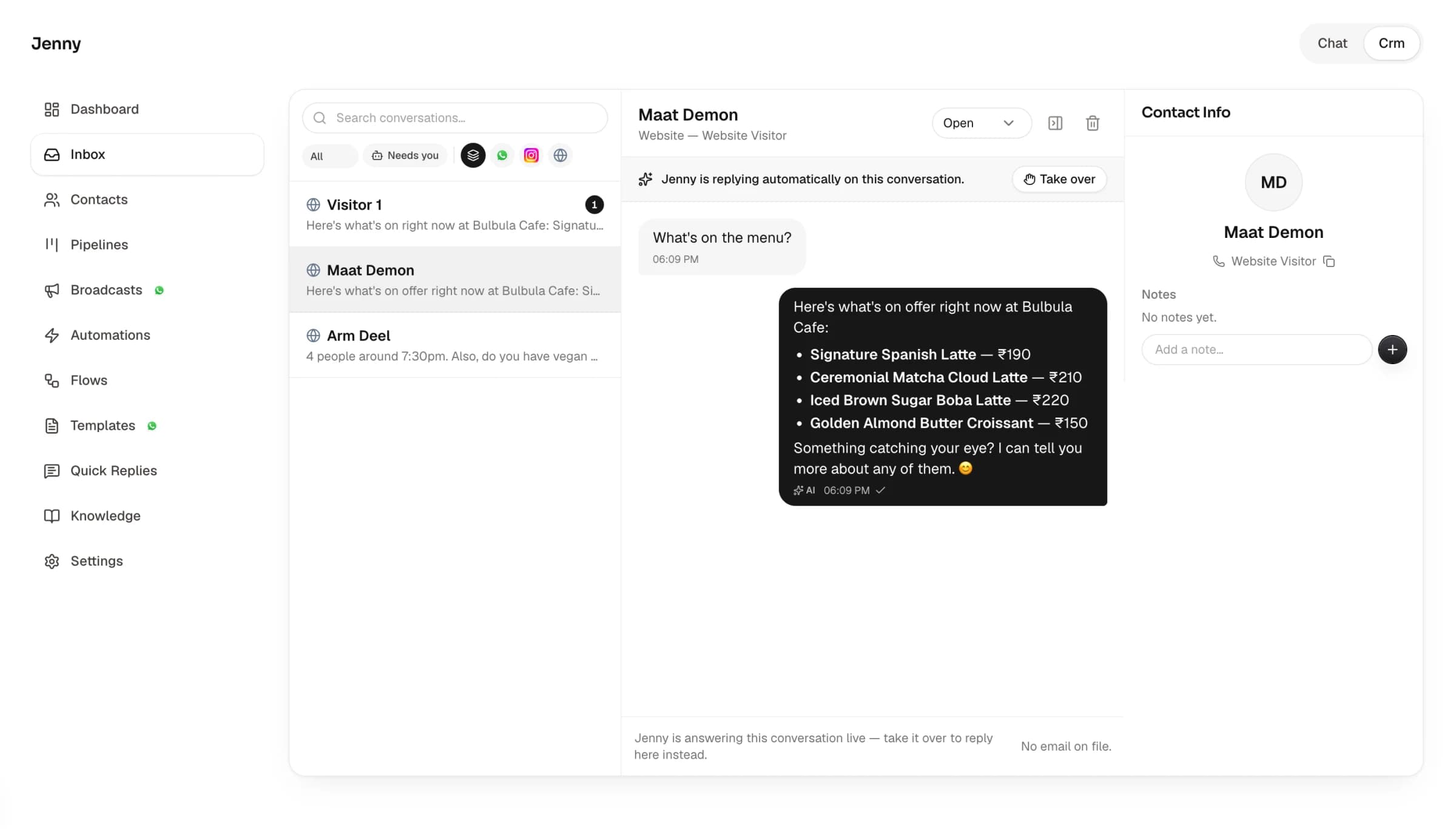
"How much?" answered, and the slot booked.
Most Instagram DMs ask the same few things. Automations answer the predictable ones the moment they arrive, and Jenny handles the rest from your own prices and policies, offering a slot and booking it without the customer leaving Instagram.
- Every sender becomes a contact, with name and @handle
- Instagram DMs sit next to WhatsApp and website chats
- Chats Jenny can't handle move to your "Needs you" list
Instagram app vs Darvix automation
Frequently Asked Questions
Everything you need to know about the platform and setup process.
What is Instagram automation?
It's replying to Instagram DMs automatically when something happens, such as a first message or a keyword. In Darvix you build DM automations from a trigger and a list of steps, with no code, and can hand any question to Jenny, the AI rep.
Can I auto-reply to Instagram DMs?
Yes. Set up a welcome message for first-time DMs, keyword replies for common questions and an out-of-hours message, or switch Jenny on to answer from your prices, policies and FAQs.
Do I need a Facebook Page to automate Instagram DMs?
No. Darvix connects with Instagram login, so you only need an Instagram professional account.
Can it DM people who comment on my posts?
Not yet. Comment-to-DM automation isn't available today; automations start from direct messages.
Can I send buttons or menus on Instagram?
Reply buttons, list menus and templates are WhatsApp features in Darvix. On Instagram, automations send text, product cards and AI replies.

Stop typing the same DM reply
Connect Instagram, pick a recipe and switch it on.